
Calls and analytics
recordings, labels, the Today board.
After each call ElevenLabs labels it; Answerbell shows every call with its recording, timeline and transcript, a Today board for all your clients, and analytics counted only from real rows.
01What ElevenLabs gives Answerbell after each call
Every agent Answerbell creates asks ElevenLabs' post-call analysis for three labels (platform_settings.data_collection):
| Label | Values | Shown as |
|---|---|---|
caller_sentiment | positive, neutral, negative | Caller mood |
call_outcome | booked, cancelled, message, transferred, information, other | How the call ended |
call_reason | a few words, in the language of the call | Why people call |
They are ElevenLabs' own labels from the transcript, not a person's judgement, and the console says so. A value outside the list is stored as "not labelled". Calls made before an agent was updated to 1.1 or later have no labels: press Update N agents on the Clients page once.
02The call page
- Summary and labels first: ElevenLabs' summary, outcome, mood, reason, language, the caller (masked for viewers) and the caller's history in one line.
- Moments (booked, transferred, recognised the caller) that jump the recording to that point.
- Timeline: who spoke when (assistant above, caller below) and where a tool was used, with clickable turn times.
- Recording: streamed from ElevenLabs through your server for each play; nothing is written to disk. Playback speed 1×, 1.5× or 2×. Managers and owners only; every play is in the audit log. ElevenLabs keeps the audio according to your workspace's retention setting.
- Conversation: the transcript as a chat, loaded live from ElevenLabs (opening it is audited).
- Mark as spam and Block the number (Blocking and spam).
If the business records calls, switch on Say that the call is recorded on the client (Recording notice).
03Today
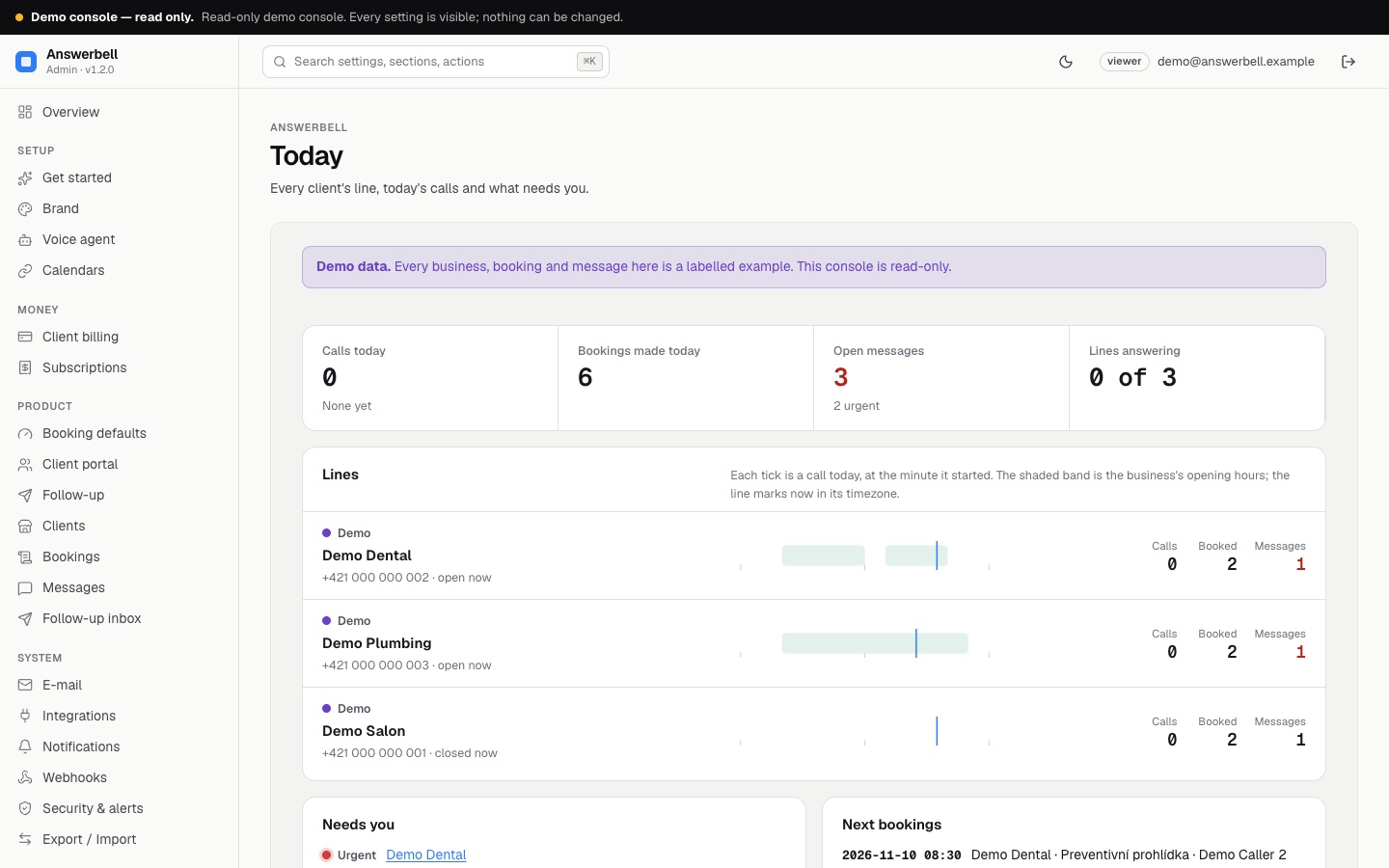
One row per client (a "line"): its state lamp (Answering, Agent out of date, Agent error, No agent yet), a 24-hour strip with a tick for every call today at the minute it started (green = ended in a booking, red = unhappy caller), the business's opening hours shaded and a mark for "now" in its own timezone. Needs you lists urgent open messages, agent problems, calendar errors, failed webhooks and unhappy callers of the last seven days. The page refreshes itself every minute while it is on screen.
04Call analytics
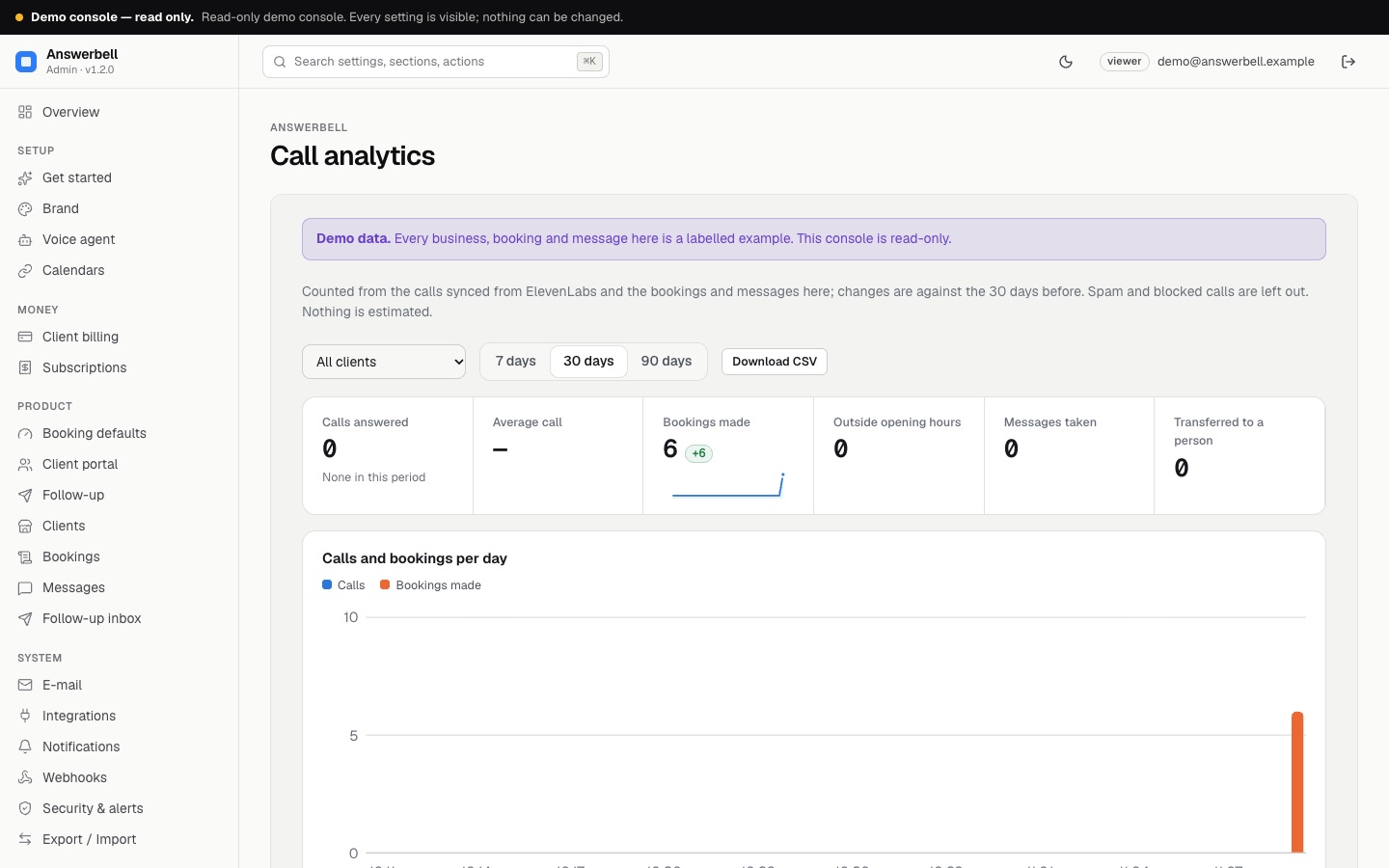
7, 30 or 90 days, all clients or one: calls, time on the phone, average call, bookings and the share of analysed calls that ended in one, calls outside opening hours, messages, transfers. Each figure shows the change against the same number of days before, with a sparkline. Below: calls and bookings per day (with a table view and a CSV download), a weekday × hour heat map, caller mood, outcomes, the most common reasons and a table per client.
Everything is counted from rows in your database; spam and blocked calls are left out, and an empty period shows zeros.
05Summary e-mail to the business
Per client (Call handling → Summary e-mail): off, every morning (yesterday's calls) or every Monday (last week's). Sent at 07:00 in the business's timezone, in its language, with ElevenLabs' one-line summary of each call and the counts. Each period is sent once.