
● Set up · Walkthrough
First client
from a new client to a ringing number.
A step-by-step walkthrough for the first business you set up. Do the provider pages first: ElevenLabs, Telnyx and e-mail.
01Before you start
- Answerbell runs on a public https address (Deployment) and Status → Public URL is https is green.
- Integrations: ElevenLabs API key and Resend API key saved, Test connection passes (ElevenLabs, E-mail).
- E-mail → Sender is an address on your verified Resend domain.
- A Telnyx number and the SIP connection to ElevenLabs exist (Telnyx).
02Step by step
- Clients → New client. Optionally start from a trade template or Fill from the website (Adding a client in minutes). Enter the business name exactly as it should be spoken (letters, digits, spaces and
. , & ' -), the call language, timezone and the e-mail addresses that get bookings and messages. - Opening hours. One or two ranges a day, like
09:00-12:00, 13:00-17:00; empty means closed. Add closed dates one per line, or press Add public holidays. - Services. One per line:
Haircut | 45 | 28 €. Minutes decide how long each booking takes; the price is read out as written. - Parallel bookings. How many customers can be served at once (2 chairs = 2).
- FAQ and notes. Parking, payment methods, what to bring. Write facts; the agent treats this text as data. Longer material goes on the Knowledge tab.
- Urgent words (optional):
pain, leak, flood. Messages that contain them are marked urgent. - Call handling (optional): transfer to a person, on-call number after hours, recording notice (Call handling).
- Plan. Monthly price, included call minutes (you get e-mails at 80 % and 100 %), price per minute above the plan, billing e-mail. Save.
- Create agent. Answerbell creates the client's tools and its agent in your ElevenLabs workspace. The status becomes live.
- Connect the number in ElevenLabs to this agent (Telnyx step 3) and type the number into Phone number callers dial.
- Call the number. You hear the AI disclosure in full even if you speak over it. Ask for opening hours, a free time, book, then ask for a person: outside opening hours (or with transfer off) it takes a message. If ElevenLabs did not receive your number over SIP, the assistant asks for it before booking (Telnyx).
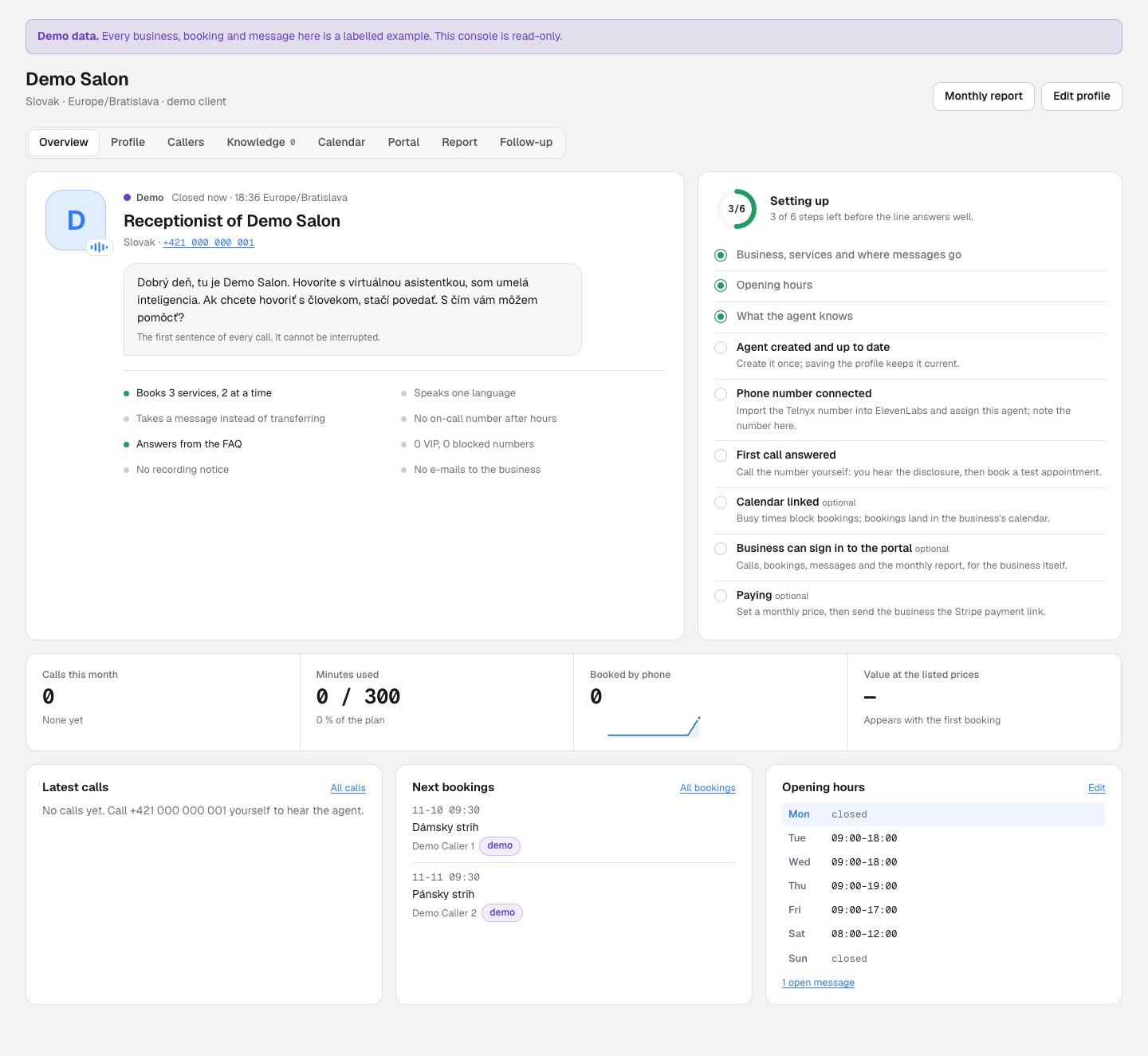
- Check the results. The booking and the message are in Bookings and Messages and in the business's inbox; the call appears in Calls within the sync interval (or press Fetch new calls now). The client's Overview tab shows the setup checklist.
- Charge the client (optional): Create payment link and send it to the business (Stripe).
03Changing a client later
Edit the client and save: if it has an agent, the agent is updated straight away. If the update fails (for example the ElevenLabs key was removed) the client shows out of date and the error; press Update agent once the cause is fixed.